Editable 2026 Business Planner
The Editable 2026 Business Planner is a purpose-built digital planning system designed for professionals who need structure without rigidity. Unlike static PDF planners or generic templates, it delivers layered functionality—combining comprehensive business tracking with genuine customization capability. It’s not just a calendar or a to-do list; it’s a working framework that adapts as your business evolves across the year.
A Planner Built for Real Operational Needs
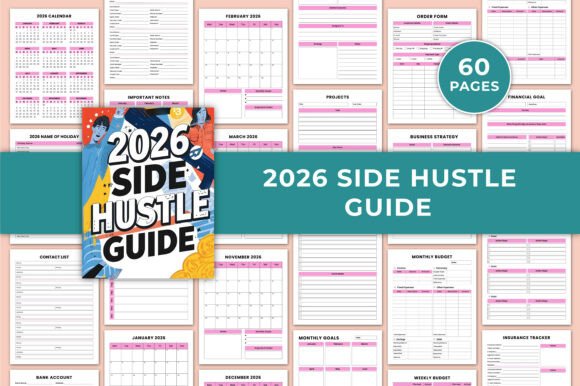
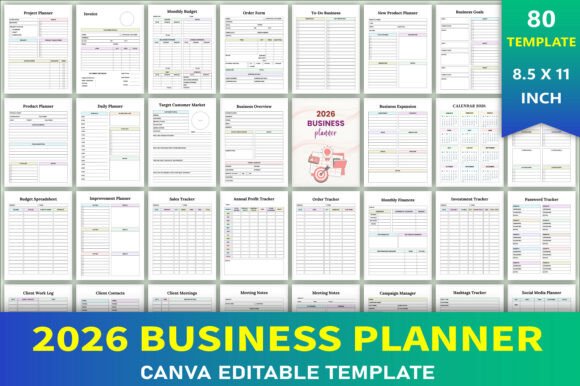
What sets the Editable 2026 Business Planner apart is its balance of breadth and intentionality. The inclusion of 40+ functional pages—from Business Overview and Target Customer Market to Tax Deductions Log and Shipping Tracker—reflects an understanding of how small teams and solopreneurs actually operate. These aren’t decorative placeholders. Each section serves a documented workflow: for example, the New Product Planner includes space for ideation, cost breakdown, timeline mapping, and launch criteria—tools that align with lean product development practices. Similarly, the Profit Loss Tracker and Annual Profit Tracker are structured to support monthly reconciliation without requiring spreadsheet expertise.
This level of granularity matters most when consistency over time becomes critical. A freelancer managing three client projects simultaneously benefits from having Daily Review, Weekly Planner, and Project Planner in one coherent system—rather than toggling between apps or fragmented documents. The planner doesn’t assume you’ll use every page, but it ensures the ones you do rely on are logically sequenced and functionally sound.
True Editability—Not Just “Fill-in-the-Blank”
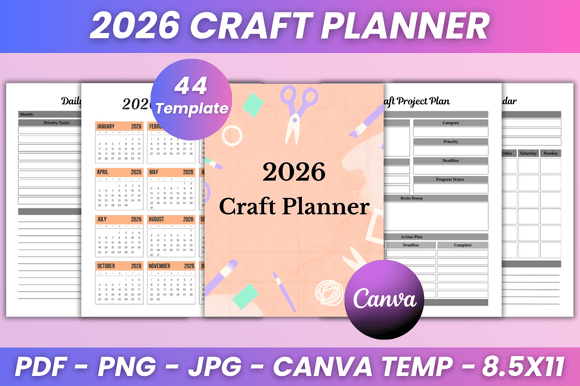
Many planners claim to be editable—but most only allow text input in fixed fields. The Editable 2026 Business Planner goes further. It comes with a direct Canva link, granting full design control: swap fonts, adjust color palettes, reposition layout blocks, insert custom icons or brand imagery, and even modify background textures. That means a boutique owner can apply their signature pastel palette and serif typography, while a tech consultant might opt for high-contrast monochrome with clean sans-serif hierarchy—all without altering underlying functionality.
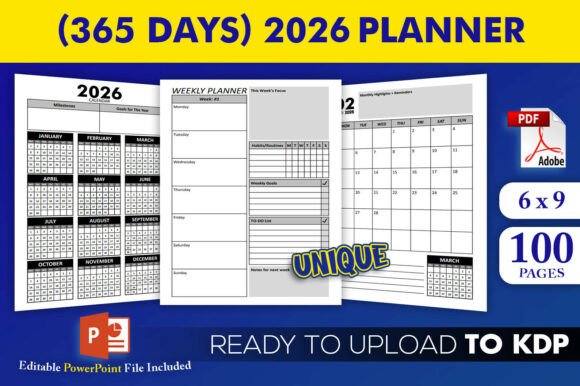
This flexibility extends to output formats. You receive JPG, PNG, and print-ready PDF files—each optimized for different uses. The PDF is KDP interior–ready: bleed-free, CMYK-safe, and formatted to Amazon’s current trim and margin standards (6" x 9", 300 DPI). That eliminates guesswork for self-publishers building physical planner products for resale. Meanwhile, the JPG and PNG versions serve well for digital coaching packages, social media content planning, or embedding into Notion dashboards as visual references.
Practical Quality and Production Readiness
Print quality is consistent and production-appropriate. Pages feature generous margins, legible font sizing (no cramped 8-pt labels), and clear visual separation between sections—critical for long-term usability. There’s no unnecessary ornamentation that competes with data entry, nor is there under-designed minimalism that sacrifices clarity. Grid lines are subtle but present where needed (e.g., in Monthly Budget or Inventory tables); checkboxes are sized for quick tactile marking; date fields follow ISO standard formatting (YYYY-MM-DD) to avoid regional confusion.
Reliability hinges on how well the planner holds up after repeated use. Because all editable layers remain intact in Canva—even after extensive customization—the file stays reusable year after year. You’re not locked into a single version. If your business pivots from service-based to product-led in Q3, you can revise the Product Inventory and Sales Tracker layouts to reflect new SKUs and fulfillment workflows—not start over.
Who Benefits—and When It Fits Best
The Editable 2026 Business Planner suits users whose work involves recurring operational cycles and measurable outputs: freelancers billing hourly or per project, e-commerce sellers managing inventory and returns, educators launching course cohorts, consultants tracking client retainers and deliverables, or micro-business owners balancing sales, fulfillment, and tax prep.
It’s especially effective for those who:
- Prefer analog or hybrid (digital + printed) planning but want editable digital foundations;
- Need a unified system instead of juggling spreadsheets, sticky notes, and calendar alerts;
- Are preparing to scale—whether adding team members, launching new offerings, or entering new markets;
- Self-publish physical planners and require KDP-compliant interiors with zero formatting cleanup;
- Work across multiple roles (e.g., creator + seller + educator) and need adaptable frameworks rather than role-specific silos.
It’s less ideal for users seeking AI-powered automation, real-time syncing across devices, or deep accounting integrations (e.g., QuickBooks or Xero). Those needs are better served by dedicated SaaS tools. This planner excels where human judgment, intentional reflection, and visual organization matter more than algorithmic suggestions.
Real-World Use Cases
A freelance graphic designer used the Editable 2026 Business Planner to consolidate client onboarding, invoice tracking, and quarterly tax estimates—replacing four separate Google Sheets. By customizing the Client Payments page with her logo and preferred currency symbol, she improved professionalism in client-facing deliverables.
A small pottery studio owner adapted the Product Inventory and Order Tracker pages to monitor clay usage, glaze batches, and shipping deadlines—then printed quarterly summaries for internal team huddles. The ability to change column headers (e.g., swapping “SKU” for “Batch #”) made the template feel native to her process.
An online course creator repurposed the Goal Action Plan and Long Term Goals pages to map curriculum development milestones, then embedded screenshots into her teaching platform as student progress visuals—demonstrating transparency in course evolution.
Considerations Before You Begin
While highly flexible, the Canva-based editing does require basic familiarity with drag-and-drop design tools. Users completely new to Canva may spend 30–60 minutes learning layer management and export settings before finalizing their first customized spread. Also, because the planner is delivered as a digital asset—not a subscription—the responsibility for backups, version control, and annual updates rests with the user.
There’s no built-in password protection or cloud sync, so sensitive financial data should be handled with appropriate local security measures. And while the PDF is KDP-ready, users must still complete Amazon’s cover design, metadata, and pricing steps separately—the planner provides only the interior file.
Final Assessment
The Editable 2026 Business Planner fills a specific but meaningful gap: it offers rigor without rigidity, completeness without clutter, and professional polish without dependency on proprietary software. Its value isn’t in novelty—it’s in thoughtful execution across dozens of interrelated business functions. For anyone who plans, tracks, reflects, and acts across a 12-month cycle—and wants full ownership of how that process looks and works—the planner delivers tangible utility. It won’t replace enterprise systems, but it often replaces the friction of stitching together half-solutions. And in practice, that kind of coherence tends to compound quietly: better tracking leads to sharper decisions, which lead to steadier growth.