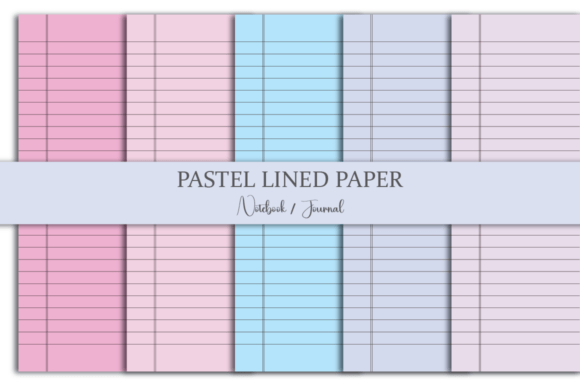
Pastel Lined Journal Paper
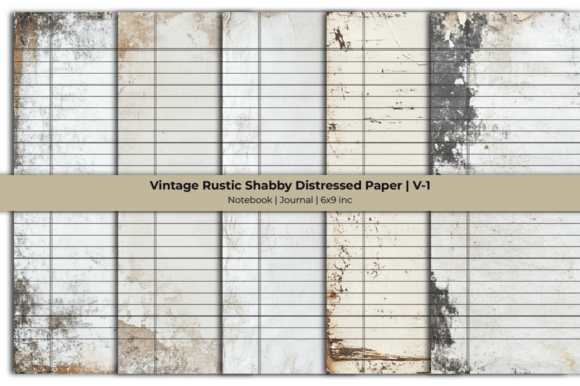
There’s something quietly powerful about a lined page in soft, muted tones—calm but intentional, gentle but grounded. Pastel Lined Journal Paper isn’t just decorative stationery. It’s a functional design tool that supports clarity without sacrificing warmth. Designed at the versatile 6 x 9 inch size—the sweet spot between portability and writing space—it bridges analog intention with digital flexibility. Whether you’re sketching a client concept, drafting lesson plans, journaling daily reflections, or prototyping a print layout, these papers offer structure *and* breathing room.
What Makes Pastel Lined Journal Paper Distinct
Unlike stark white ruled paper or overly saturated colored stock, pastel-lined paper uses low-saturation hues—think dusty rose, sage green, sky blue, oat beige, and lavender mist. These tones reduce visual fatigue during extended writing or editing sessions while still providing clear line guidance. The lines themselves are precisely spaced (standard 8mm or 9mm) for comfortable handwriting, yet subtle enough to recede when scanned or photographed—ideal for clean digital sharing.
The WHAT’S INCLUDED bundle reflects real-world workflow needs: one zip file containing JPG, PNG, SVG, PDF, and editable source files (e.g., layered PSD or AI). That means you can drop a page into Canva for social media planning, use the SVG in Cricut Design Space for custom planner inserts, print the PDF on premium 100gsm paper for tactile journals, or extract individual lines from the PNG for UI wireframing. No conversion headaches. Just ready-to-use versatility.
Creative Applications Across Roles
For educators and course designers: Print 6 x 9 pages as handouts for reflective writing prompts, peer feedback forms, or student goal-setting sheets. The pastel background reduces perceived formality—students often engage more openly when the page feels inviting, not institutional. Use the PDF version to embed in LMS platforms like Canvas or Google Classroom as downloadable worksheets.
For freelancers and small business owners: Turn a single pastel-lined page into a branded content planning sheet—add your logo in the header, list weekly blog topics down the left margin, and use the ruled area for bullet-pointed outlines. Because the files include vector (SVG) and layered source files, you can easily adjust colors to match your brand palette without losing line integrity.
For bloggers and content creators: Shoot flat-lay photos of your journal open to a pastel-lined page—pen in hand, coffee nearby—and pair it with captions about consistency, process over perfection, or how analog reflection fuels digital output. The soft tones photograph beautifully in natural light and don’t compete with foreground elements.
For publishers and indie authors: Use the lined pages as interior templates for guided journals, gratitude workbooks, or habit trackers. Since each file is 6 x 9 inches—a standard paperback trim size—you can import pages directly into InDesign or Affinity Publisher with accurate bleed and margin settings. No resizing, no distortion.
How to Keep Your Output Clear and Audience-Friendly
Clarity starts with restraint. When adapting Pastel Lined Journal Paper for a specific project, ask: *What action do I want the user to take on this page?* If it’s note-taking, keep margins generous and lines uncluttered. If it’s a worksheet, add minimal icons or checkboxes—not full illustrations—that guide without distracting. The pastel base already provides visual calm; don’t override it with dense typography or competing graphics.
Consistency matters across formats too. If you’re building a multi-page resource (e.g., a 12-week planner), use the same line spacing and pastel tone across all pages—even if you rotate hues slightly for section breaks. That predictability helps users navigate by feel, not just sight. And when exporting for print, always use the PDF version with embedded fonts and CMYK color profile enabled—especially important for soft pastels, which can shift dramatically in RGB.
Practical Tips for Real-World Use
- Test before scaling: Print one page on your intended paper stock first. Pastel tones behave differently on matte vs. glossy finishes—and ink absorption affects line contrast.
- Leverage layers: In the source file, keep line art on its own layer. That way, you can toggle visibility when creating minimalist versions for digital annotation tools like GoodNotes or Notability.
- Batch smartly: Need 50 printed pages? Use the PDF’s “multiple pages per sheet” setting to print four 6 x 9 pages on one 8.5 x 11 sheet, then cut and staple—cost-effective for prototypes or classroom sets.
- Extend digitally: Import the PNG into Procreate or Adobe Fresco, lock the layer, and draw or type over it. The transparency preserves the lines while letting you build custom layouts.
Variations That Stay True to Purpose
You don’t need to reinvent the format to make it fresh. Try subtle variations rooted in function: rotate the line orientation for vertical note-taking (great for timeline mapping), add faint dot-grid margins for sketching alongside text, or introduce a single thin border in a complementary pastel to define the writing area without boxing it in. All variations maintain the core benefit—structure that supports, not constrains.
Some users add light watermark-style text—“Weekly Focus,” “Ideas Only,” or “No Edits Here”—in 5% opacity using the source file. It’s a quiet nudge toward intention, not a rigid rule. Others remove lines entirely from select pages (using the layered source) to create hybrid spreads: lined for notes, blank for quick sketches, dot-grid for mind maps—all unified by the same pastel base tone.
Why This Format Endures
In a world of infinite digital templates and disposable apps, there’s lasting value in a simple, well-designed physical/digital hybrid tool. Pastel Lined Journal Paper works because it asks little of the user—and delivers much. It doesn’t demand creativity; it makes creativity easier to start, sustain, and share. Whether you’re outlining a podcast script, prepping a grant application, designing a workshop handout, or simply tracking personal growth, the right lined page can be the quiet foundation that holds everything else together.
It’s not about aesthetics alone. It’s about reducing friction—between thought and word, idea and execution, analog habit and digital output. And because it comes in multiple formats, with consistent sizing and thoughtful color balance, it adapts without asking you to compromise your standards—or your sanity.